Skip to content
Tutorial

How to save a video thumbnail or cover for free

Save a returned video cover, find the image on your phone or computer, and understand what to do when the thumbnail is missing, expired or cannot be opened.

  • No account needed
  • Phone and desktop
  • Public links only

SniffVid TeamPublished Last reviewed

Bot protection

Paste a link above to see every available video, audio and cover download.

By using SniffVid you agree to our Terms of Service and Privacy Policy

The short answer

  • Use the original video or post link, not a temporary media address copied from a player.
  • Save cover only appears when the result includes a cover URL; some platforms or providers may not return one.
  • The action saves the returned image without upscaling, watermark removal, conversion or frame extraction.
  • An image may open in a new tab first. Browser downloads, file storage and your photo library are different locations.

These points describe the current download workflow. See the page-specific verification note below for what was checked; upstream availability and returned tracks can change.

A laptop, tablet, headphones and translucent media tiles arranged on a navy workbench.
Concept illustration of an offline media library, not a product screenshot. The returned media determines what can be saved.

Step by step

Follow the controls actually offered by the result panel; formats and browser capabilities can vary.

  1. 1

    Copy a single-item share link

    Open the public video or post and choose Copy link in its share menu. On desktop, the full address of that content page can also work.

  2. 2

    Parse and find Save cover

    Complete page verification if prompted and check the result for a cover preview and Save cover action. No button means that result offers no cover-saving entry.

  3. 3

    Save the image and check its location

    Click Save cover and check browser downloads. If an image opens first, use the browser’s image-saving action. A phone download does not always appear in Photos or Gallery automatically.

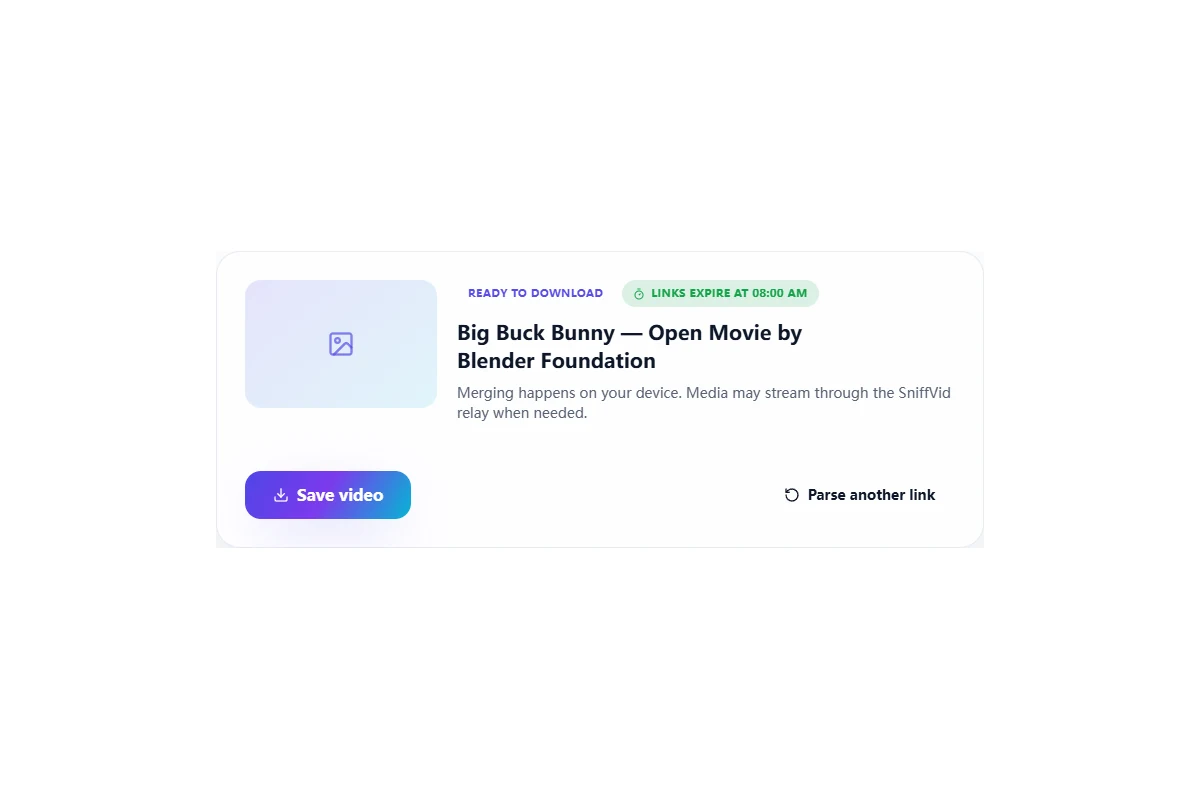
The result panel for one finished file: a single Save video button where two track lists would otherwise sit.
A progressive result collapses the panel to a single decision — save the file as it came. There is nothing to pick and nothing to merge.

A cover is an image supplied by the extraction provider and saved separately from the video. Seeing a preview does not imply that a higher-resolution original, arbitrary video frame or whole image gallery is available.

Where the button appears

The cover preview is in the parse result, with the save action near the video or merge actions. It depends on a returned cover URL and the current result’s expiry. Use the screenshot to recognize the layout; button wording follows the selected language.

Save and check the file on a computer

After clicking Save cover, check browser download history and the chosen folder. A browser may instead display the image in a new tab, where its image-saving menu can finish the save. Check the actual image format; a filename extension alone does not guarantee JPEG content.

Saving on iPhone or Android

Check browser downloads and the system file manager first. If an image preview opens, use the image-saving action offered by the system. Once a file is saved, adding it to Photos or Gallery depends on the app, system and format. Do not repeat downloads just because it is not visible in the photo library yet.

A missing button or a preview that will not load

Make sure the link identifies the single item, not a profile or collection. The tool does not invent an image when none is returned. If a recovery action offers another source, parsing again may help but does not guarantee a cover. A returned image may also fail because its URL expired or its source rejected access.

A blurry, cropped or different cover

A provider may supply a compressed or cropped image, or a separately designed cover rather than the first frame. Saving does not upscale it, restore cropped content or extract a video frame. Without a returned higher-resolution option, editing the URL cannot guarantee an original.

Refresh an expired cover link

Parse the original content-page link again and use the new result. Do not bookmark a relay URL as permanent image hosting. An image that finished saving is unaffected by the URL expiring later.

A cover is different from an image gallery

Save cover handles the single cover image returned with that result. It does not download every image in a post, a carousel or thumbnails in bulk. Check that the saved image is the one you need and respect the creator’s permissions when using it.
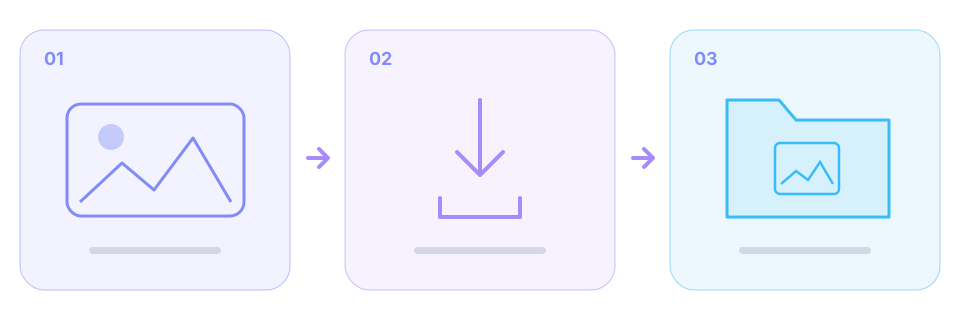
Workflow from a returned cover preview to a separately saved image.
Conceptual workflow: use Save cover when a preview is returned, then check browser downloads. This is not frame extraction or gallery download.

Background and edge cases

The image is saved separately

Saving a cover does not embed it in the video, replace MP4 artwork or change a media-library thumbnail. The player still decides which image it displays.

No fixed image-resolution promise

A cover is not guaranteed for every platform or item. Original resolution, HD, watermark-free images and a uniform JPG format are not promised.

Frequently asked questions

Those platforms have parsing pages, but cover saving depends on that particular response including an image URL. Use the actual action offered in the result.

The browser may preview the image instead of downloading immediately. Use its image-saving menu and check downloads or your file manager.

The tool saves the returned image only. It does not upscale it, remove watermarks or promise an original-resolution file.

This is not frame extraction. Use a separate player or editing tool to choose a timestamp and capture a frame.

It may have been saved in browser downloads or system Files first. Find the file, then use a supported system action to add it to Photos or Gallery.

Not through Save cover. That entry does not imply gallery, carousel or batch-download support.

How this was checked

How this was checked

Checked against the current cover preview, Save cover action and short-lived relay links. The product screenshot uses a controlled example and is not a live download test for the depicted platform or image.

  • The page-specific note states which behavior was reviewed and which live samples, if any, were tested.
  • Track availability depends on the parsing service. Table sizes are illustrative ranges, not measurements of every video.
  • A source may change or restrict access; the result panel is the reference for the current link.

Who maintains it

Written and reviewed by SniffVid Team, the people who build and run SniffVid. Guides answer practical questions and are updated as capabilities change. Product promotions are labeled separately. Read the editorial policy

Published · Last reviewed · Content last reviewed

Sources and further reading

Primary documentation for the claims on this page. Nothing here cites another downloader as an authority on how downloads behave.

Keep reading

Other tutorials, and the tool pages for the sites people download from most.

Tool pages for the biggest platforms

Dedicated pages combine the downloader with platform-specific link instructions and limits. Choose one below.