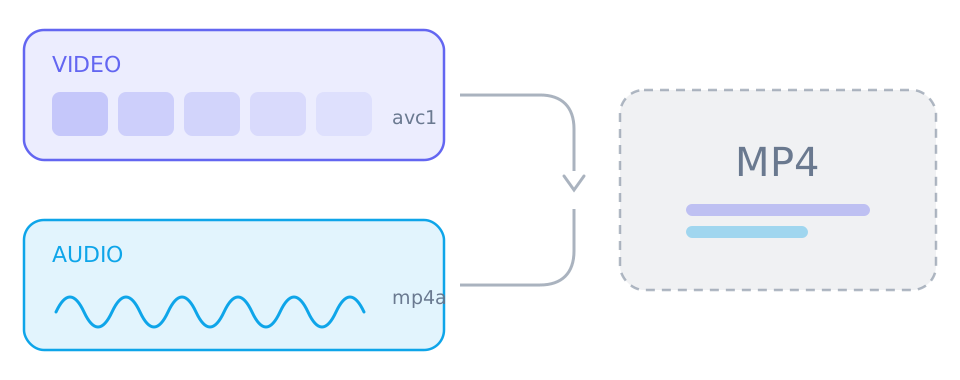
Merging is not re-encoding. Both tracks are already compressed, so joining them is a byte-level copy into a new MP4 container: no pixel is re-rendered, no audio is re-sampled, and the work is small enough for a browser.
Why the tracks arrive separately
Publishing one finished file per resolution would mean storing the same soundtrack over and over. Delivering video-only and audio-only renditions instead lets a platform assemble whatever combination a viewer asks for, and a downloader sees exactly that split.
- A video-only track carries the picture and no sound at all
- An audio-only track is usually AAC in an M4A-compatible container
- An entry labelled 1080p in the video column is not a finished video on its own
What merging actually does
It copies both tracks into one MP4 and rewrites the file index so players can seek. Because nothing is decoded, merging is fast even on long videos, and it costs nothing in quality: the picture and the sound are bit-for-bit what the platform delivered.
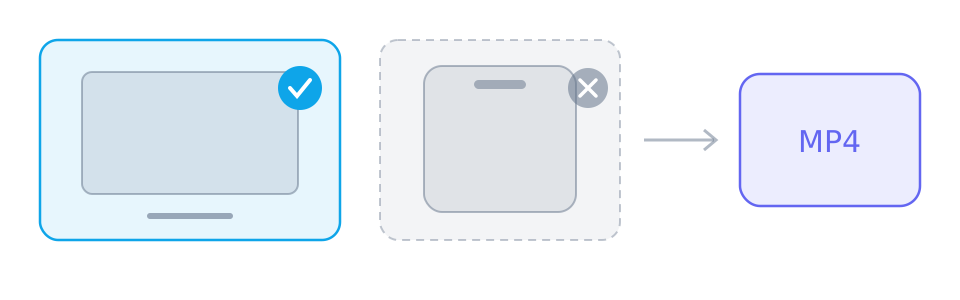
Merging needs a desktop browser
The merge is streamed to disk rather than held in memory, which is what the File System Access API provides. Desktop Chrome, Edge and Opera expose it; Safari, iOS and most Android browsers do not.
- Desktop Chrome, Edge or Opera: select one track of each and merge in one pass
- iPhone, iPad and Android: save the tracks one at a time and join them later
- A single-file source needs no merge on any device
When a merge is refused
SniffVid never transcodes, so a merge succeeds only if both codecs already fit the MP4 container. A track in a format the container cannot hold is rejected with a message naming the codec, rather than quietly converted.
- H.264 (AVC) video with AAC audio merges reliably
- VP9, AV1 and HEVC video may be refused rather than converted
- The refusal names the codec, so you can tell a codec limit from a network problem
Reference
These tables are shared across the site, so a figure you saw on one page is the figure you see here.
| When the platform… | The result panel shows | What you do |
|---|---|---|
| Serves one finished file | A single track with picture and sound already together | Save it. Nothing needs merging, on any device. |
| Splits picture and sound | Two lists: video-only tracks and audio-only tracks | Select one of each, then merge on a desktop browser. |
| Blocks direct browser reads | The same tracks, routed through a short-lived relay link | Nothing on your side: SniffVid switches to the relay by itself. |
Background and edge cases
Why the platform does this at all
Delivering one finished file per resolution means storing the same soundtrack once for every quality on offer. Splitting picture from sound lets a service assemble whatever combination a viewer asks for, at the moment they ask, which is cheaper to store and cheaper to serve.
- The split is a delivery choice, not a signal that the video is protected
- A platform may offer one finished file at a low resolution and split streams above it
- A downloader sees the same menu a player sees — it simply does not combine them for you
What the merged file is, exactly
An MP4 is a container with an index and a set of tracks. Merging writes both encodings into one container and rebuilds the index so a player can seek. Neither stream is touched, which is why the process is quick even on a long video and why the result is the same quality as the source.
- The video and audio in the output are bit-for-bit the streams the platform served
- Only the container and its index are new
- If the player cannot seek the merged file, the save was interrupted rather than the merge being lossy
What to do if you only have a phone
Save both tracks and join them later on a computer, or pick a platform that returns a single finished file and save that. Two saved tracks are not interchangeable with a merged file — a player will show one or the other, not both.
- Keep the two files together and named clearly: they are a pair
- A local muxing tool such as ffmpeg with stream copy joins them without re-encoding
- Re-parsing the link later on a desktop lets SniffVid do the merge in one pass instead