Pins are also the platform where the original resolution matters most: the image behind a Pin is usually larger than the thumbnail the feed renders, and the download is the larger one.
Which Pinterest link to copy
A Pin address resolves; a board, a profile or the home feed does not, because there is no single piece of media behind them.
- pinterest.com/pin/{id} — the canonical Pin address
- pin.it/{code} — the short form the app shares
- A board or a profile is a list of Pins, not a media page
Videos and images resolve differently
An image Pin hands over a still file, which is the original artwork rather than the cropped preview. A video Pin behaves like video anywhere else: if Pinterest serves picture and sound apart, the two need merging.
- Image Pins return one file and need no merge
- Video Pins may return a video track and an audio track
- A Pin that only links out has no media of its own to save
What may not resolve
Pinterest hides some Pins from anonymous visitors and some Pins point at content that was taken down at the source, which is outside anything a downloader can fix.
- Pins saved from a source that no longer exists may return nothing
- Region-restricted or promotional Pins can be unavailable
- Private boards and secret Pins are not reachable without a session
Reference
These tables are shared across the site, so a figure you saw on one page is the figure you see here.
| Address shape | Resolves | Why |
|---|---|---|
| instagram.com/reel/{id} | Yes | A Reel or a post carries exactly one piece of media. A profile does not. |
| facebook.com/watch/?v={id} | Yes | Watch videos, Reels and page videos all resolve; the audience setting still has the final say. |
| reddit.com/r/{sub}/comments/{id}/… | Yes | The permalink under the post is what carries the media, and v.redd.it serves it as two streams. |
| pinterest.com/pin/{id} | Yes | A Pin resolves to a video, to a still image, or to a link onwards that has no media of its own. |
| threads.com/@{user}/post/{id} | Yes | One post, one video. Both the current and the older hostname work. |
| xiaohongshu.com/explore/{id} | Yes | A note resolves, and the short form the app shares redirects to it. |
| douyin.com/video/{id} | Yes | The share message contains the link, and the whole message can be pasted. |
| youtube.com/watch?v={id} | Yes | A watch address resolves; a channel page or a search result has no single video. |
| tiktok.com/@{user}/video/{id} | Yes | A video address resolves; a profile does not. |
| bilibili.com/video/BV… | Yes | A BV address resolves; a space page does not. |
| x.com/{user}/status/{id} | Yes | A status address resolves; a profile timeline does not. |
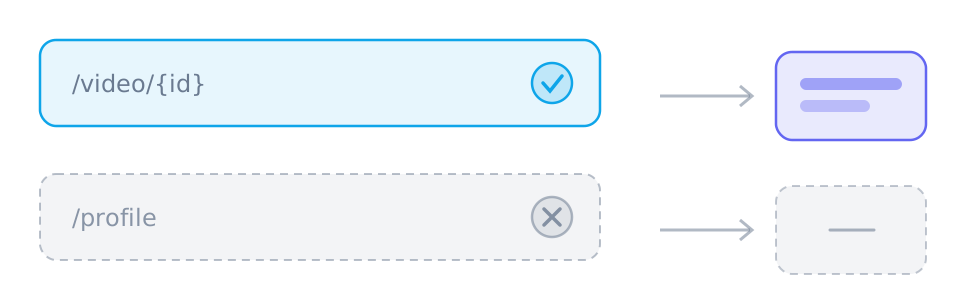
| /{user} · /profile · /search | No | Profiles, boards, channels, search results and home feeds have no single piece of media behind them. |
Which links work best
- pinterest.com/pin/{id}
- pin.it/{code}
Those are the shapes worth pasting. SniffVid accepts any other public http(s) link too — whether it resolves is up to the source, so a profile, a search page or a private post simply comes back empty.
Background and edge cases
A Pin is a pointer, not always a file
Pinterest is a catalogue, and some of what it catalogues lives elsewhere. Where a Pin carries an image or a video, that media is what resolves; where it is a bookmark to an article, there is nothing to download and the empty result is the correct answer.
- An image or video Pin: the media itself resolves
- A link-out Pin: no media of its own
- A Pin whose source was deleted: nothing left to return
Why the original is worth having
What the feed renders is a resized copy, and the box a Pin is displayed in is narrower than most of what it holds. Saving the Pin gives you the file rather than the preview, which matters whenever the image is going to be used for something other than looking at it.
- The saved image is the one Pinterest stores, not the one the layout cropped
- Resolution is what decides whether a thumbnail can be reused as artwork
- A video Pin saved without its audio track is silent until the pair is merged