Facebook is also the platform where privacy settings most often look like a broken downloader: a video your friends can see is not necessarily a video an anonymous visitor can see.
Which Facebook link to copy
The address of the post is what resolves; the feed, the profile and the search results do not. Reels and Watch pages work, but they use their own address shapes.
- facebook.com/watch/?v={id} — a Watch page
- facebook.com/reel/{id} — a Reel
- facebook.com/{user}/videos/{id} — a video on a page or profile
Visibility decides the outcome
Facebook applies the audience setting before the page is served, so a post limited to Friends, a group or yourself is simply not visible to the parsers. This is the most common reason a link that clearly plays for you returns nothing.
- Public videos resolve; Friends-only and Only me posts do not
- Closed-group posts need a group membership and cannot be read
- A video that was removed or had its audio muted for licensing returns nothing either
Why some Facebook videos are silent
Facebook sometimes serves picture and sound separately, and sometimes serves a single file. When it splits them, the same rule as everywhere else applies: a video-only track has no audio, and the two need to be merged.
- Two lists in the result panel mean two selections are needed
- Merging needs a desktop browser with the File System Access API
- A muted source track stays muted — nothing here can restore audio Facebook withheld
Reference
These tables are shared across the site, so a figure you saw on one page is the figure you see here.
| Address shape | Resolves | Why |
|---|---|---|
| instagram.com/reel/{id} | Yes | A Reel or a post carries exactly one piece of media. A profile does not. |
| facebook.com/watch/?v={id} | Yes | Watch videos, Reels and page videos all resolve; the audience setting still has the final say. |
| reddit.com/r/{sub}/comments/{id}/… | Yes | The permalink under the post is what carries the media, and v.redd.it serves it as two streams. |
| pinterest.com/pin/{id} | Yes | A Pin resolves to a video, to a still image, or to a link onwards that has no media of its own. |
| threads.com/@{user}/post/{id} | Yes | One post, one video. Both the current and the older hostname work. |
| xiaohongshu.com/explore/{id} | Yes | A note resolves, and the short form the app shares redirects to it. |
| douyin.com/video/{id} | Yes | The share message contains the link, and the whole message can be pasted. |
| youtube.com/watch?v={id} | Yes | A watch address resolves; a channel page or a search result has no single video. |
| tiktok.com/@{user}/video/{id} | Yes | A video address resolves; a profile does not. |
| bilibili.com/video/BV… | Yes | A BV address resolves; a space page does not. |
| x.com/{user}/status/{id} | Yes | A status address resolves; a profile timeline does not. |
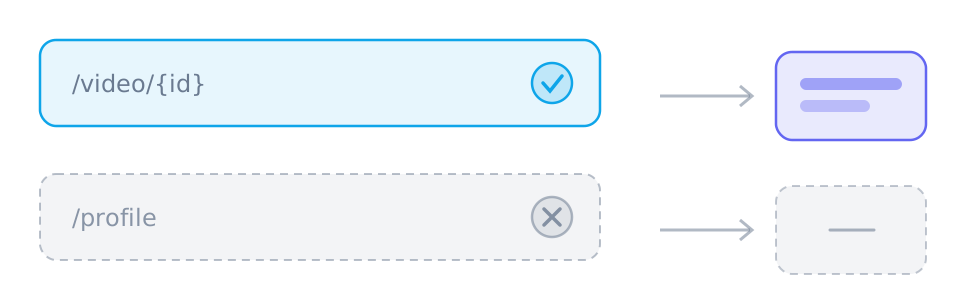
| /{user} · /profile · /search | No | Profiles, boards, channels, search results and home feeds have no single piece of media behind them. |
Which links work best
- facebook.com/watch/?v={id}
- facebook.com/reel/{id}
Those are the shapes worth pasting. SniffVid accepts any other public http(s) link too — whether it resolves is up to the source, so a profile, a search page or a private post simply comes back empty.
Background and edge cases
Why a public-looking post still returns nothing
What you see is filtered by your session. A post that is public but appears in a restricted group, or one that has since been deleted or had its audio muted, can play for you and still be unreadable by a parser.
- Group posts inherit the group's visibility, not the post's
- A deleted video can stay cached on your screen long after it stops resolving
- A video muted for licensing plays silently for everyone, including a parser
Reels and Watch videos behave differently
Facebook has more than one way to publish a video, and they do not all produce the same result panel. Treating the outcome as a property of the platform rather than of the link is what leads to a saved file with no sound.
- A Watch page often returns a single finished file
- A Reel is more likely to arrive as two tracks that need merging
- Merging needs a desktop browser, so a phone saves one track at a time