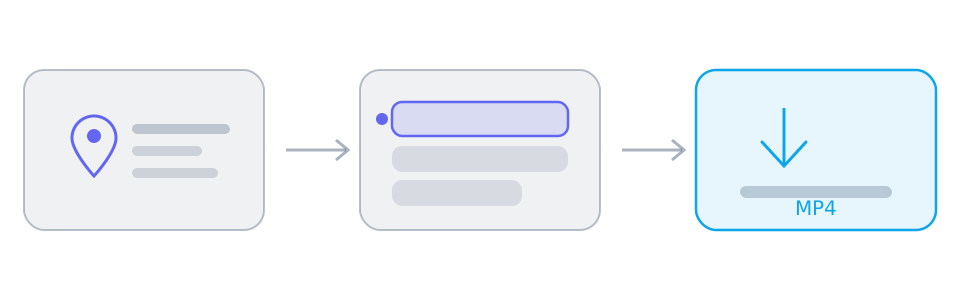
The whole interaction is three clicks long, and the parts that surprise people are almost always the same two: which link to copy, and why a track sometimes arrives without its other half.
Which link to copy
Most failures are link failures. A page that plays a video is not always the page that exposes one, and a link that works in the app you copied it from is the safest thing to paste.
- A post, video or reel address resolves; a profile, a search page or a home page usually does not
- Short share links are fine — they redirect to the page the parsers expect
- Share text with extra words around the link is fine too; the first address in it is used
One file or two halves
Platforms that offer several resolutions store picture and sound separately and combine them on demand. Those platforms hand a downloader two lists instead of one file, and a video track from such a list contains no audio at all.
- Two lists in the result panel mean two selections before saving
- A desktop browser can merge the pair into one MP4 in a single pass
- A platform that returns one finished file needs none of this
When nothing comes back
An empty result is a statement about the source, not a crash. Parsing runs through third-party services whose reach changes without notice, so the same link can resolve today and fail next week.
- Private, friends-only, members-only or region-locked content cannot be resolved
- Live streams that are still running usually have nothing to download yet
- Try the canonical address of the post rather than a shortened or embedded one
What the download does not do
Nothing is re-encoded, so the file matches what the platform served: no watermark is removed, no format is converted and no quality is invented. That is a deliberate limit rather than an unfinished feature — it is what keeps the merge possible inside a browser.
- The picture and sound are copied byte for byte from the source
- An unsupported codec is refused with a message rather than converted
- Respect copyright: download only what you are entitled to keep
Reference
These tables are shared across the site, so a figure you saw on one page is the figure you see here.
| When the platform… | The result panel shows | What you do |
|---|---|---|
| Serves one finished file | A single track with picture and sound already together | Save it. Nothing needs merging, on any device. |
| Splits picture and sound | Two lists: video-only tracks and audio-only tracks | Select one of each, then merge on a desktop browser. |
| Blocks direct browser reads | The same tracks, routed through a short-lived relay link | Nothing on your side: SniffVid switches to the relay by itself. |
| Address shape | Resolves | Why |
|---|---|---|
| instagram.com/reel/{id} | Yes | A Reel or a post carries exactly one piece of media. A profile does not. |
| facebook.com/watch/?v={id} | Yes | Watch videos, Reels and page videos all resolve; the audience setting still has the final say. |
| reddit.com/r/{sub}/comments/{id}/… | Yes | The permalink under the post is what carries the media, and v.redd.it serves it as two streams. |
| pinterest.com/pin/{id} | Yes | A Pin resolves to a video, to a still image, or to a link onwards that has no media of its own. |
| threads.com/@{user}/post/{id} | Yes | One post, one video. Both the current and the older hostname work. |
| xiaohongshu.com/explore/{id} | Yes | A note resolves, and the short form the app shares redirects to it. |
| douyin.com/video/{id} | Yes | The share message contains the link, and the whole message can be pasted. |
| youtube.com/watch?v={id} | Yes | A watch address resolves; a channel page or a search result has no single video. |
| tiktok.com/@{user}/video/{id} | Yes | A video address resolves; a profile does not. |
| bilibili.com/video/BV… | Yes | A BV address resolves; a space page does not. |
| x.com/{user}/status/{id} | Yes | A status address resolves; a profile timeline does not. |
| /{user} · /profile · /search | No | Profiles, boards, channels, search results and home feeds have no single piece of media behind them. |
Background and edge cases
Why a link can work in the app and fail here
An app is signed in and a parser is not, so the two are shown different pages. That single difference explains most of the cases where a video is plainly visible on your screen and the result panel comes back empty.
- A post visible to your followers may be invisible to an anonymous reader
- Age-gated and region-locked pages are served differently depending on where the request comes from
- A link that carries a session token in the URL is not usable by anyone else, a parser included
What to do when a site is in no list at all
Paste it anyway. The parsers are generic services rather than one adapter per platform, which is why the real coverage runs far beyond the articles here — and also why a site that works today can stop working without anything changing on this side.
- Try the canonical address of the post rather than a shortened, embedded or AMP version
- If a shortened link fails, open it in a tab and copy the address it lands on
- Retry later: upstream services change what they can reach without notice, in both directions