The only real trap is the domain. Threads has been served from two hostnames, and the same post is reachable from both — so paste the link as the app produced it rather than rewriting the hostname.
Which Threads link to copy
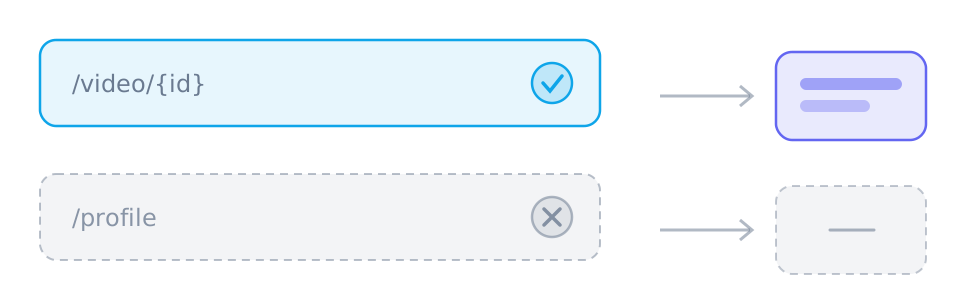
A post address resolves, a profile does not. Both hostnames point at the same posts, so the version the app handed you is the one to paste.
- threads.com/@{user}/post/{id} — the current hostname
- threads.net/@{user}/post/{id} — the older one, still valid
- A profile or a feed page has no single video behind it
One post, one piece of media
Threads posts carry a single video or a single image, so the result is short and unambiguous. A post that carries only text returns nothing, which is the expected answer rather than a failure.
- A video post returns a video track
- An image post returns the image file
- A text-only post has nothing to download
Reposts and replies
A repost points at the original post, so the address bar may show a different path than the one you opened. Both are worth trying, but the original permalink is the more reliable of the two.
- Copy from the post itself rather than from a repost in your feed
- A post on a private profile cannot be resolved
- A deleted post returns nothing, and no retry will change that
Reference
These tables are shared across the site, so a figure you saw on one page is the figure you see here.
| Address shape | Resolves | Why |
|---|---|---|
| instagram.com/reel/{id} | Yes | A Reel or a post carries exactly one piece of media. A profile does not. |
| facebook.com/watch/?v={id} | Yes | Watch videos, Reels and page videos all resolve; the audience setting still has the final say. |
| reddit.com/r/{sub}/comments/{id}/… | Yes | The permalink under the post is what carries the media, and v.redd.it serves it as two streams. |
| pinterest.com/pin/{id} | Yes | A Pin resolves to a video, to a still image, or to a link onwards that has no media of its own. |
| threads.com/@{user}/post/{id} | Yes | One post, one video. Both the current and the older hostname work. |
| xiaohongshu.com/explore/{id} | Yes | A note resolves, and the short form the app shares redirects to it. |
| douyin.com/video/{id} | Yes | The share message contains the link, and the whole message can be pasted. |
| youtube.com/watch?v={id} | Yes | A watch address resolves; a channel page or a search result has no single video. |
| tiktok.com/@{user}/video/{id} | Yes | A video address resolves; a profile does not. |
| bilibili.com/video/BV… | Yes | A BV address resolves; a space page does not. |
| x.com/{user}/status/{id} | Yes | A status address resolves; a profile timeline does not. |
| /{user} · /profile · /search | No | Profiles, boards, channels, search results and home feeds have no single piece of media behind them. |
Which links work best
- threads.com/@{user}/post/{id}
- threads.net/@{user}/post/{id}
Those are the shapes worth pasting. SniffVid accepts any other public http(s) link too — whether it resolves is up to the source, so a profile, a search page or a private post simply comes back empty.
Background and edge cases
Reposts point somewhere else
A repost is a reference to a post rather than a post of its own, so the address in the bar can differ from the one the media belongs to. Copying from the original is more reliable than copying from what you happened to be scrolling past.
- Open the post first, then copy its address
- A repost in a feed can carry a tracking parameter the canonical address does not
- A post on a private profile is unreadable regardless of how you found it
Everything here follows one rule
A post carries one piece of media, so the result panel is short. Short results are the ones people misread most: an empty entry looks like a fault when it is usually just a text post, an image, or something behind a login.
- One video: usually one track, sometimes a video track plus an audio one
- One image: one file, no merge
- One text post: no entries at all