Skip to content
Tutorial

How to fix a verification that never completes

Bot protection is a separate step from parsing: the browser proves it is not automated before the first resolve. When that step cannot finish, no parse request is sent at all, which is why the interface looks like it is doing nothing.

  • No account needed
  • Phone and desktop
  • Public links only

SniffVid TeamPublished Last reviewed

Bot protection

Paste a link above to see every available video, audio and cover download.

By using SniffVid you agree to our Terms of Service and Privacy Policy

The short answer

  • No challenge runs while the page loads; the request starts when you press Get Download Links.
  • No visible widget is the normal case. A checkbox appears only when the challenge needs a human.
  • 45 seconds without a result ends in a timeout message, and nothing is retried automatically.
  • One successful check covers the page for 30 minutes and lives in memory only, so a refresh clears it.

These points describe the current download workflow. See the page-specific verification note below for what was checked; upstream availability and returned tracks can change.

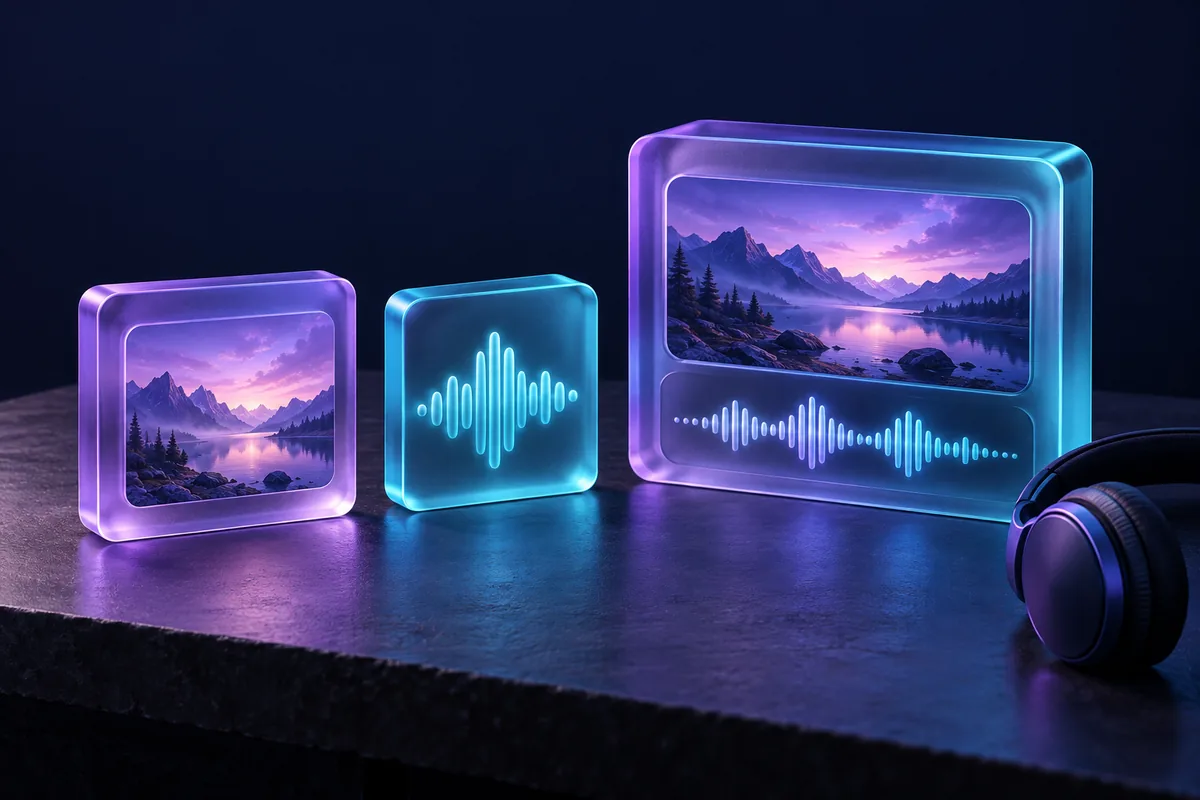
Separate landscape-video and audio-waveform tiles beside a larger tile holding both together.
Concept illustration: picture and sound can be separate resources. Use the actual save or merge action offered by the panel.

Step by step

Follow the controls actually offered by the result panel; formats and browser capabilities can vary.

  1. 1

    Wait out the 45-second budget

    The button switches to a verifying state. If a checkbox appears, tick it. If no widget ever appears, that is expected — let the timeout message arrive before changing anything.

  2. 2

    Rule out a blocked challenge host

    The challenge is served from challenges.cloudflare.com. An ad blocker, a privacy extension, a VPN or a DNS filter that drops that host leaves the spinner running with nothing to approve.

  3. 3

    Retry on a different network

    Allow the challenge host, or switch off the blocker for this site, then press the button again. If mobile data works and your Wi-Fi does not, the filter sits between you and the challenge.

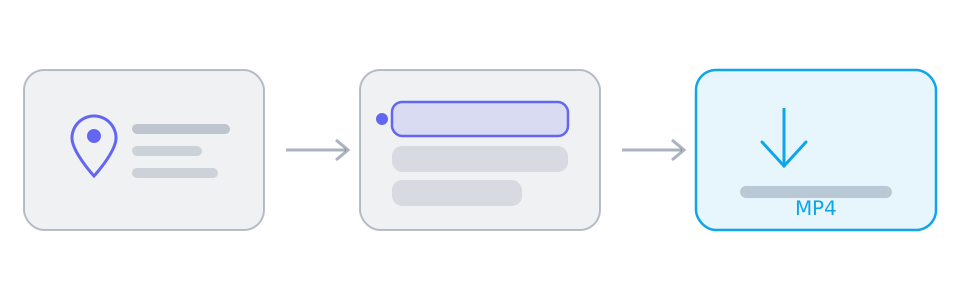
Three panels showing a video link, a list of available tracks, and the saved file.
Every download follows the same three stages: paste a link, choose from the tracks the parsers return, then save. The middle panel is where the decision happens.

The widget is deliberately invisible until it is needed, so an empty spot where you expect a checkbox is normal. The messages under the button are what distinguish waiting from failing.

Why nothing happens while the page loads

The widget renders explicitly, executes on demand and hides itself when no interaction is required. The page does load the challenge script, but it starts no challenge: a page that looks idle is a page that has not started checking yet.

The states you can actually see, in order

While a challenge runs, a pending message asks you to tick the checkbox if one appears. After about twelve seconds a second line names the likely cause: the challenge host is not reachable. At forty-five seconds the attempt is treated as a failure, and the button can be pressed again.

Rate limiting is not a failed check

Three different refusals exist and they need different responses. Too many requests from your network is a temporary limit that expires on its own. Verification failed means the token was rejected. Bot protection not configured is a server-side state, not something you can fix from the page.

The credential is per page and per tab

A successful check issues a page credential that lasts 30 minutes. It is kept in memory, cleared when the page is hidden or reloaded, and never shared between tabs. Parsing several links in one tab does not ask again until it expires.

Reference

These tables are shared across the site, so a figure you saw on one page is the figure you see here.

What works, on what device, and why
TaskDesktopPhoneWhy
Download a public linkDepends on source/browserDepends on source/browserRequires readable media from a provider; the parser does not inherit your platform login.
Download a private, paid or DRM-protected videoNoNoThe source never hands the media to an anonymous reader, so there is nothing to copy.
Save one trackDepends on source/browserDepends on source/browserRequires a readable media file and browser saving support; a manifest alone is not a complete file.
Merge two tracks into one MP4Depends on source/browserDepends on source/browserUses a save picker or temporary browser storage; browser support, quota and memory determine availability.
Convert between formatsNoNoNo decoding or re-encoding: single files keep their supplied format, while compatible track pairs can be remuxed into MP4.
Remove a watermarkNoNoThe file is the platform's own copy; nothing is edited or re-encoded on the way through.

Background and edge cases

Why the check cannot be skipped

The parse endpoint is fail-closed: without a valid token the request is refused. There is no setting that turns the check off, in the page or in the client.

Local testing behaves differently

A real site key is bound to registered hostnames, so on a loopback address the challenge cannot return a token at all. Interface work on a local server needs Cloudflare's always-pass test key, which in turn cannot pass the server check.

Frequently asked questions

No. A parse request without a valid token is refused, so there is no client-side way around it.

Only when the challenge decides it needs interaction. Most visits complete with no visible widget at all.

The challenge host is reachable on one network and filtered on the other. That is a network-level block, not an account problem.

That is a per-network rate limit which clears on its own. It is not a verification failure and does not need a new check.

How this was checked

How this was checked

Reviewed against the current challenge widget, its timeout handling and the error states the API returns. Browser extensions and network filters differ; this is a code-based review, not a claim of testing every network.

  • The page-specific note states which behavior was reviewed and which live samples, if any, were tested.
  • Track availability depends on the parsing service. Table sizes are illustrative ranges, not measurements of every video.
  • A source may change or restrict access; the result panel is the reference for the current link.

Who maintains it

Written and reviewed by SniffVid Team, the people who build and run SniffVid. Guides answer practical questions and are updated as capabilities change. Product promotions are labeled separately. Read the editorial policy

Published · Last reviewed · Content last reviewed

Sources and further reading

Primary documentation for the claims on this page. Nothing here cites another downloader as an authority on how downloads behave.

Keep reading

Other tutorials, and the tool pages for the sites people download from most.

Tool pages for the biggest platforms

Dedicated pages combine the downloader with platform-specific link instructions and limits. Choose one below.