
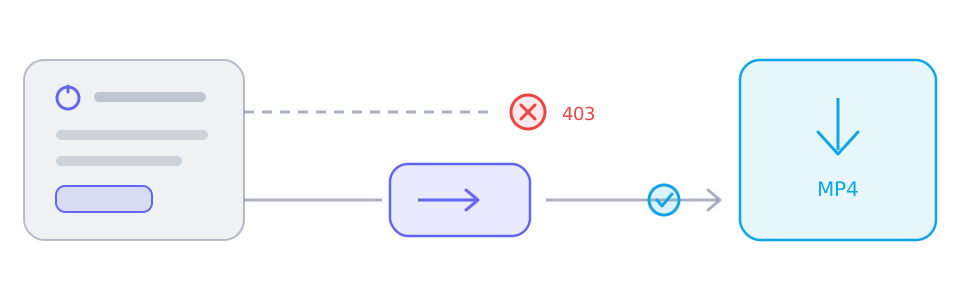
A saved link and a saved file are two different steps. The panel can resolve a track and still be unable to hand it to your browser directly, which is why one button can fail while the other works.
Why a browser cannot always read the source
A direct save asks the source to hand its bytes to your tab. Sources that expect a referrer, a cookie or a signed address refuse that request, and the tab receives an error document instead of media. That refusal is why the same file downloads in one context and not another.
What the relay actually does
The relay is a short-lived encrypted address on the site's own domain that streams the same bytes back to the tab. It is read on demand rather than stored: nothing is queued or kept after the transfer. Merging still runs in the browser, so the finished file is assembled on your device.
Two sources are relayed by default
YouTube and X (Twitter) media hosts do not serve browser reads, so their addresses are routed through the relay without a direct attempt first. Other platforms are still tried directly, with the relay as the fallback.
Reading the transport line after a merge
After a merge the panel states how the tracks were read: both from the source, both through the relay, or mixed when only one track needed it. That sentence is the quickest way to tell whether a slow result came from the network or from the source.
Reference
These tables are shared across the site, so a figure you saw on one page is the figure you see here.
| When the platform… | The result panel shows | What you do |
|---|---|---|
| Serves one finished file | A single track with picture and sound already together | Use the offered save action without merging; completion still requires readable media and a supported browser. |
| Splits picture and sound | Two lists: video-only tracks and audio-only tracks | Choose one complementary track of each kind and merge in a supported browser; phones may have storage or memory limits. |
| Needs relaying or blocks browser reads | The same tracks, routed through a short-lived relay link | YouTube and X use relaying by default; merging chooses a transport automatically. For other single-file results, try the relay button if offered. |
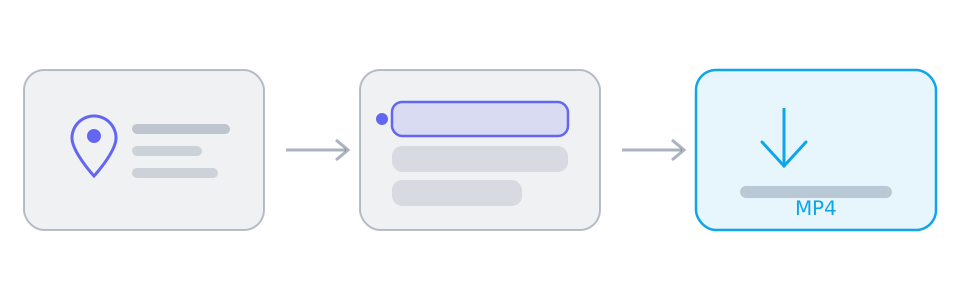
Background and edge cases
This is not a speed setting
The channel is chosen to make a read possible, not to make it faster. A relayed download can be slower than a direct one, and switching does not remove a speed limit set by the source.
What a relay cannot fix
It cannot open a private post, bypass a region restriction, decrypt a DRM stream or invent a track the parser never returned. Those limits show up as an empty result, not as a failed save.